The Future of Interactive Kiosks: Trends for 2026 and Beyond
Explore emerging interactive kiosk technologies, from AI-powered interfaces to contactless experiences, and how TelemetryOS prepares for the next generation.
Interactive kiosks are evolving beyond simple touchscreens to become AI-powered, voice-enabled, and contactless interfaces that anticipate user needs and deliver personalized experiences.
The Future of Interactive Kiosks: Trends for 2026 and Beyond
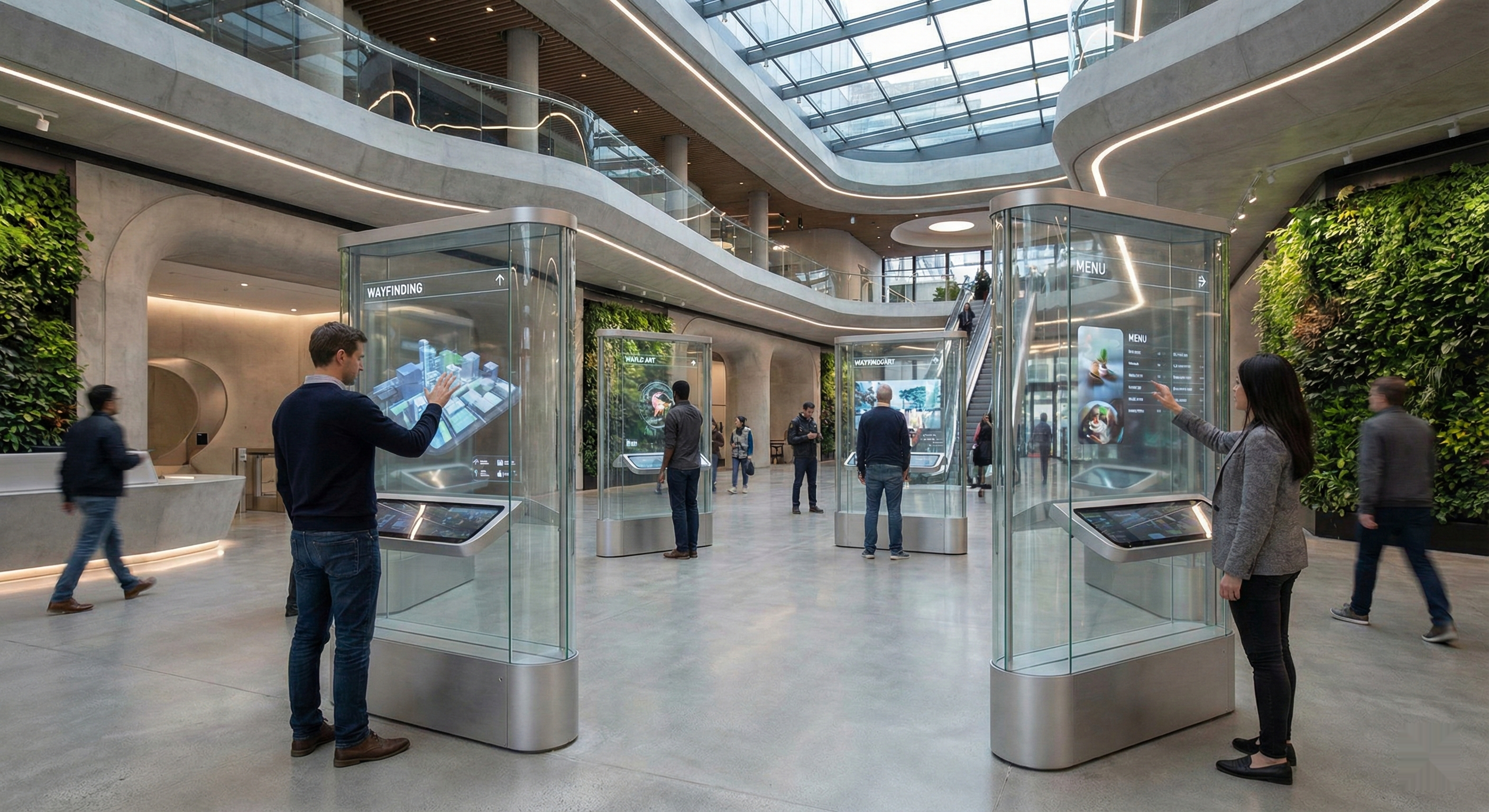
Interactive kiosks are moving from basic touchscreen interfaces into AI-powered systems that anticipate user needs through natural language processing, computer vision, and predictive assistance. The shift reflects broader changes in how people interact with technology. Expectations formed by consumer devices carry over to public kiosks, creating demand for conversational interfaces, gesture controls, and personalized experiences that adapt to individual users. High abandonment rates during complex self-service processes signal that current touchscreen-only interfaces create friction where future systems need fluidity.
This evolution addresses practical limitations in existing kiosk deployments. Hygiene concerns that intensified during recent years haven't disappeared, making contactless interaction methods increasingly important for public-facing systems. Limited personalization means every user receives identical experiences regardless of their familiarity with the system or specific needs. Accessibility challenges prevent some users from effectively interacting with touch-only interfaces. The next generation of kiosks must solve these problems while maintaining the operational efficiency that made self-service attractive in the first place.
AI Transforms Kiosks From Reactive to Proactive
Natural language processing enables conversational interactions that replace nested menu navigation with spoken requests. Users can state their intent directly ("I need to check in for my 2pm appointment" or "Show me vegetarian options under $15") rather than tapping through hierarchical menus to reach the same outcome. For complex transactions where touchscreen navigation becomes tedious, voice interfaces reduce both interaction time and user frustration. The technology handles natural language variations and understands context, making interactions feel more like conversations than form-filling exercises.
Computer vision capabilities let kiosks recognize users and adapt interfaces accordingly. Returning visitors can bypass introductory screens and receive streamlined experiences that skip information they've already seen. Accessibility features activate automatically when vision systems detect users who might benefit from larger text, audio assistance, or simplified navigation. Gesture recognition adds non-contact control options where hand movements replace physical touch for users who prefer contactless interaction.
Predictive assistance uses context and historical patterns to anticipate user needs before they're explicitly stated. A healthcare kiosk might display relevant department information when recognizing a patient with a scheduled appointment, eliminating several navigation steps. A retail kiosk could suggest products based on previous purchases or current inventory promotions aligned with customer preferences. Machine learning lets these systems continuously improve as they observe successful interactions and identify patterns across user populations. The kiosk becomes less a static interface and more an intelligent assistant that gets better at its job over time.
However, AI-powered kiosks face substantial adoption barriers. Public environments present challenges that controlled laboratory settings do not: background noise degrades speech recognition accuracy, variable lighting conditions confuse computer vision systems, and users may not trust or understand AI-driven interfaces. Privacy regulations in the EU and several US states increasingly restrict facial recognition in public spaces, potentially limiting personalization features that rely on user identification. Organizations must also reckon with the fact that many users, particularly older demographics, actively prefer traditional touchscreen interfaces they already understand.
Contactless and Gesture-Based Interaction
Gesture recognition lets users wave to advance screens, pinch to zoom, or point to select options, translating familiar gestures into non-contact interactions. The technology works best in controlled lighting environments with unambiguous gestures that distinguish intentional commands from ambient movement. Implementation requires careful UX design to ensure users understand available gestures and receive clear feedback confirming their actions were recognized.
QR code integration creates hybrid interactions where personal devices complement kiosk displays. Users scan codes to continue transactions on their phones, accessing detailed information or completing sensitive input like payment credentials on their own devices rather than public screens. This approach combines the visual impact of large kiosk displays with the privacy of personal devices. Organizations already comfortable with QR code deployment for other purposes can extend that infrastructure to kiosk experiences without requiring entirely new interaction paradigms.
Voice interfaces enable completely touchless interaction for users who prefer or require hands-free operation. Directional microphones and voice isolation technology help kiosks understand spoken commands even in noisy public environments. Privacy considerations require careful implementation, though: spoken health information or financial details may not be appropriate in open spaces. The most effective implementations combine voice capability with other modalities, allowing users to speak general commands while using screens for private information entry.
The contactless trend may not sustain its current momentum. Post-pandemic behavior studies show that hygiene concerns diminish over time, and touchscreen familiarity still dominates user preferences in many contexts. Gesture-based systems require users to learn unfamiliar interaction patterns, creating friction that touchscreens eliminated decades ago. Voice interfaces in public spaces face persistent challenges: ambient noise, privacy concerns about speaking aloud, and the social awkwardness many users feel when talking to machines in front of others. Organizations should prepare for scenarios where contactless features become differentiators rather than requirements.
Personalization Through Context Awareness
Location-based services provide relevant information based on user proximity to specific facilities or amenities. A hospital kiosk recognizes when users approach from the parking structure versus the main entrance and adjusts wayfinding instructions accordingly. Retail kiosks in mall environments provide directions that account for current location within the complex. This spatial awareness reduces cognitive load by presenting information relevant to the user's actual context rather than generic instructions requiring mental translation.
Behavioral analytics let systems learn from previous interactions and optimize future experiences. Frequent visitors receive streamlined interfaces that skip introductory information they've already seen multiple times. New users get guidance that builds confidence in system use. The kiosk observes which pathways through menus lead to successful task completion and which cause confusion or abandonment, then adjusts interface design to favor successful patterns and reduce friction points. This continuous optimization improves system effectiveness without requiring manual interface redesign.
Time-based personalization adjusts content and interface elements based on current time, peak traffic periods, and special events. During high-traffic periods, interfaces prioritize speed by surfacing common tasks prominently and simplifying options. During quiet periods, more detailed information and less-common features become accessible. A transit kiosk might show departure times during morning and evening commutes but surface schedule planning and trip exploration features during midday lulls when users have more time to interact.
Integration with organizational systems enables personalized experiences based on user status and preferences. Healthcare kiosks display relevant department information for patients with scheduled appointments while directing walk-in visitors through a different pathway. Retail systems show loyalty benefits and recommendations based on purchase history. These personalized experiences require secure authentication and appropriate privacy controls to ensure systems use personal data responsibly while delivering value users appreciate.
Personalization faces a fundamental tension: the features that enable helpful customization also enable privacy violations that erode user trust. Regulations like GDPR and CCPA create compliance complexity for organizations operating across jurisdictions, and enforcement actions are increasing. Users who discover they are being tracked may abandon kiosks entirely, negating efficiency gains. The most sustainable personalization strategies may be those that rely on session-based context rather than persistent identity tracking.
Platform Architecture for Next-Generation Kiosks
TelemetryOS supports emerging kiosk technologies through expanded APIs and development tools that accommodate new interaction methods while maintaining backward compatibility with existing deployments. The platform's architecture lets developers build applications that incorporate AI capabilities, alternative input methods, and personalization engines without requiring low-level integration with every possible technology. This abstraction allows organizations to adopt new capabilities as they mature without rebuilding entire systems.
Edge computing capabilities ensure kiosks operate reliably even with limited connectivity, processing user interactions and AI inference locally rather than depending on constant cloud connectivity. This matters in environments where network reliability varies or where latency requirements demand local processing for responsive interactions. Cloud infrastructure provides scalability for capabilities that benefit from centralized processing: training machine learning models on aggregated data from entire kiosk fleets, managing content and configuration across locations, and performing analytics that inform system optimization.
Background workers and containerized application architecture enable sophisticated functionality that goes beyond simple content display. Kiosks can process real-time data from organizational systems, execute complex business logic for multi-step transactions, and integrate with third-party services. This technical foundation supports building advanced applications that behave more like purpose-built software than traditional content-driven digital signage.
Unsolved Problems in the Kiosk Industry
Despite technological advances, several fundamental challenges remain unresolved. Accessibility compliance continues to lag behind regulatory requirements. The Americans with Disabilities Act and equivalent international standards mandate accessible interfaces, yet many deployed kiosks fail to accommodate users with visual impairments, motor limitations, or cognitive disabilities. Screen reader compatibility, wheelchair-accessible heights, and simplified interface options remain inconsistent across the industry.
Maintenance and reliability present persistent operational challenges. Kiosks in public environments endure vandalism, environmental stress, and hardware failures that create downtime. Remote diagnostics and predictive maintenance have improved but cannot prevent all failures. Organizations deploying kiosks in unattended locations still struggle with response times for physical repairs, leaving broken units as frustrating monuments to unreliable technology.
Security vulnerabilities create ongoing risk. Kiosks that accept payments, display personal information, or connect to organizational networks present attack surfaces that require constant vigilance. Skimming devices, shoulder surfing, and software exploits all target kiosk deployments. The industry lacks standardized security frameworks, leaving individual organizations to develop protection strategies with varying degrees of effectiveness.
Content management at scale remains cumbersome. Organizations with hundreds or thousands of kiosks across multiple locations struggle to maintain consistent, current content while allowing appropriate local customization. Version control, approval workflows, and rollback capabilities vary widely across platforms. The promise of centralized management often collides with the reality of complex organizational structures and competing stakeholder requirements.
Finally, measuring actual ROI proves difficult. While kiosk vendors tout efficiency gains and cost savings, organizations frequently lack the instrumentation to verify these claims. Transaction completion rates, user satisfaction, and operational cost impacts often go unmeasured or rely on estimates rather than empirical data. Without clear ROI validation, budget justification for kiosk investments remains more art than science.
Implementation Strategies That Balance Innovation and Practicality
Phased rollout strategies let organizations test new capabilities in limited deployments before committing to large-scale implementations. Pilot programs reveal whether emerging technologies deliver expected benefits in actual operating environments and identify integration challenges that didn't surface during planning. This approach reduces risk while enabling organizations to adopt proven innovations rather than chasing every emerging trend.
User acceptance testing with diverse user groups validates interface design decisions before deployment. Testing should include users with varying technology comfort levels, accessibility needs, and language preferences to ensure broad usability. The populations most likely to struggle with new interaction paradigms provide the most valuable feedback for identifying friction points. Organizations that test only with technology-comfortable users often deploy systems that frustrate significant portions of their actual user populations.
Staff training programs prepare support personnel to assist users with new interface technologies and troubleshoot technical issues. Even well-designed self-service systems benefit from having knowledgeable staff available to help users who encounter difficulty. Training ensures support staff understand both the user-facing features and the underlying technology, enabling effective assistance without escalating every issue to technical teams.
Preparing for Continuous Evolution
Organizations should develop technology roadmaps that anticipate future kiosk capabilities while ensuring compatibility with current deployments. Modular architecture approaches allow gradual improvement without requiring complete system replacements every time new capabilities emerge. This treats kiosks as platforms that gain new features over time rather than fixed systems that require periodic wholesale replacement.
The trajectory points toward intelligent, adaptive interfaces that feel natural rather than complex. But the industry's track record with prediction is mixed. Five years ago, the consensus was that touchscreens would give way to voice and gesture interfaces in most public spaces. That hasn't happened. Users turned out to prefer the familiarity of touch, and the environmental challenges of voice recognition in noisy public spaces proved harder to solve than lab demonstrations suggested. The next generation of kiosk technology will likely follow a similar pattern: gradual capability additions that enhance rather than replace proven interaction methods, with the occasional genuinely disruptive shift that nobody predicted correctly.
See TelemetryOS in Action
Explore how leading companies transform their screens